
AnkiHeadingSync — Obsidian Plugin That Turns Notes into Anki Cards
AnkiHeadingSync turns Obsidian headings into Anki cards in batches.
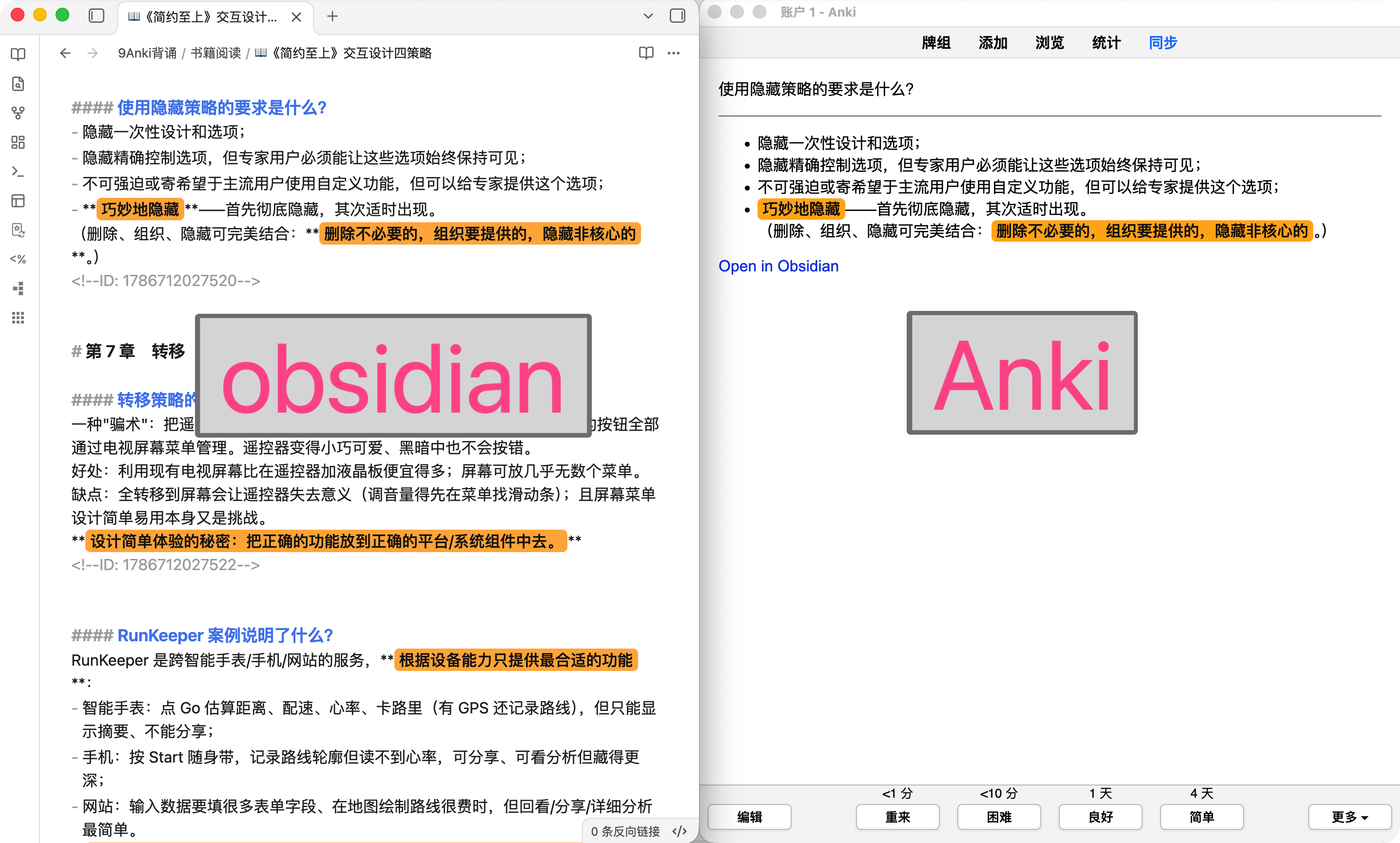
A free, open-source Obsidian plugin that turns headings into Anki cards in batches. It supports Q&A, cloze cards, deck routing, and source-note links.
Features
- Create basic Q&A, multi-level list Q&A, and two cloze card types.
- Use heading text, preferably H4, as the question.
- Convert the current file or batch-process files in a configured vault scope.
- Route cards with default decks, folder mappings, or file-level decks.
- Optionally sync Obsidian backlinks and tags, and clean up synced cards.
Install
- Open Obsidian and go to Settings.
- Open Community plugins, choose Browse, and search for AnkiHeadingSync.
- Choose Install, then enable the plugin.
Requirements: Obsidian desktop 1.13.0 or newer, Anki desktop, and AnkiConnect enabled in Anki.
Related writing: Turn Obsidian Notes into Anki Flashcards with Anki Heading Sync.